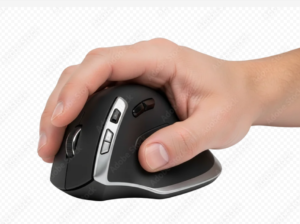
Ergonomic accessories can make a noticeable difference in comfort, even without changing your chair or desk. This guide is for anyone looking to fine-tune their workspace with small upgrades that reduce strain and improve daily comfort. I focused on accessories that are practical, easy to use, and helpful for common issues like wrist tension, poor monitor height, and foot support.
This page contains affiliate links. If you make a purchase through these links, we may earn a commission at no additional cost to you.
Browse Ergonomic Accessories by Type
Ergonomic accessories address different comfort and productivity needs depending on how you work. If you’d like to explore a broader range of options before reviewing specific recommendations, these categories can help guide your search.
- Monitor arms and risers
- Laptop stands and docking accessories
- Ergonomic keyboards and mice
- Footrests and under-desk supports
- Desk organization and cable management tools
- Headphones designed for long work sessions
You can also browse a wide selection of ergonomic desk accessories on Amazon before reviewing our recommended picks.
Browse a wide selection of ergonomic desk accessories on Amazon
If you’re starting with the basics, it helps to look at accessories alongside your main furniture choices. You may want to review our guides to ergonomic chairs and standing desks to see how everything works together.
Quick Picks
- Best vertical mouse
- Best ergonomic keyboard accessory
- Best footrest for desk comfort
- Best monitor arm or riser
About Our Recommendations
The accessories highlighted here are practical ergonomic upgrades that work well for many users. They are not the only good options available. Similar products may offer comparable benefits at different price points or be better suited for specific setups. This guide is meant to help you understand what to look for, not restrict your choices.
Core Ergonomic Accessories
These categories represent the most common ergonomic upgrades people use to improve desk comfort. Each section explains what the accessory does and includes well-known examples to help you compare options.
Logitech MX Vertical
Best Vertical Mouse
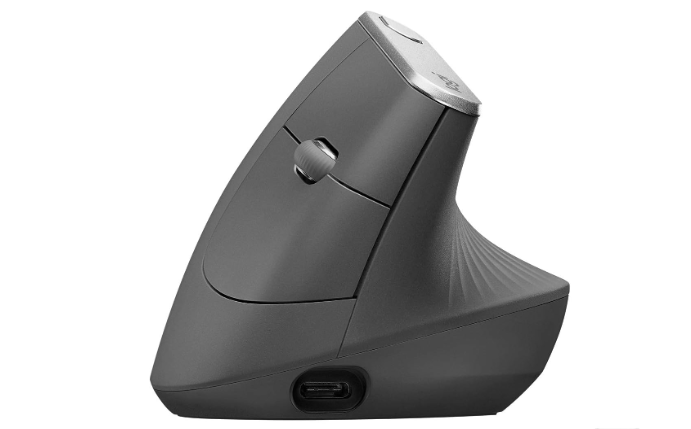
The Logitech MX Vertical is designed to reduce wrist strain by keeping the hand in a more natural, upright position. This can help lessen forearm rotation compared to traditional mice, which some users find more comfortable during long work sessions. It’s well-suited for people who spend most of their day using a mouse and want a more ergonomic alternative.
Pros
- Promotes a more natural wrist posture
- Comfortable for extended daily use
- Reliable tracking and build quality
Cons
- Takes time to adjust if switching from a standard mouse
- More expensive than basic mice
You may want to consider other options if you prefer a smaller mouse or frequently switch between multiple devices.
Kinesis Freestyle2 Keyboard
Best Ergonomic Keyboard Accessory
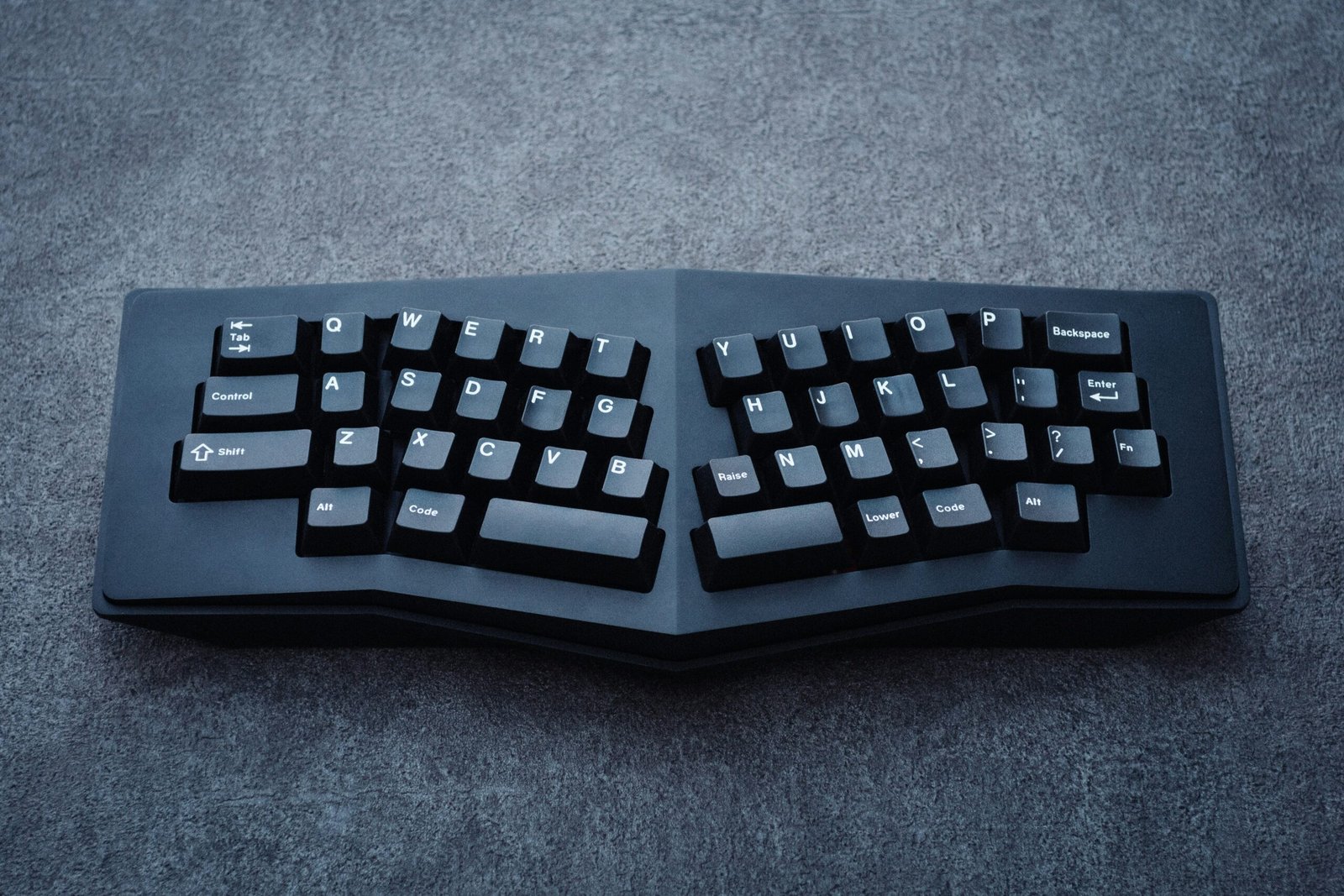
The Kinesis Freestyle2 is a split keyboard that allows each half to be positioned independently. This flexibility can help reduce shoulder and wrist strain by letting users type in a more natural posture. It’s especially helpful for people who type for long periods and want more control over their keyboard alignment.
Pros
- Adjustable layout for better posture
- Lightweight and easy to reposition
- Comfortable for long typing sessions
Cons
- Learning curve for new users
- Requires more desk space than compact keyboards
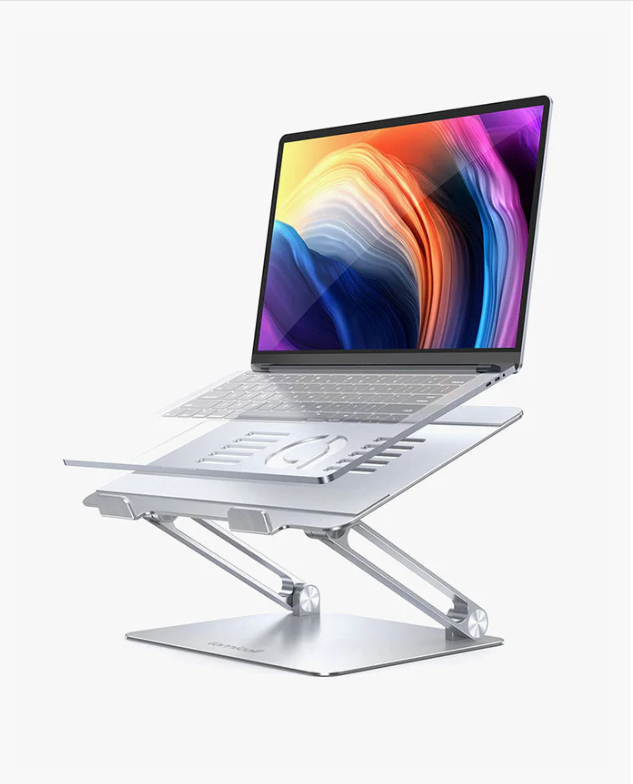
Lamicall Astable labtop stand
Best labtop stand
You may want to consider other options if: desk space is limited, or you prefer a traditional keyboard layout.
is a well-known option for users who want a stable, minimalist laptop stand with a fixed height. Its solid aluminum build provides good airflow and support, making it a common choice for desk setups that prioritize simplicity and durability.
Pros
- Raises laptop screen to a more ergonomic viewing height
- Stable construction suitable for daily use
- Helps reduce desk clutter by freeing up space underneath
Cons
- Fixed height may not suit all users
- Works best when paired with an external keyboard and mouse
HUANUO Adjustable Footrest
Best Footrest for Desk Comfort
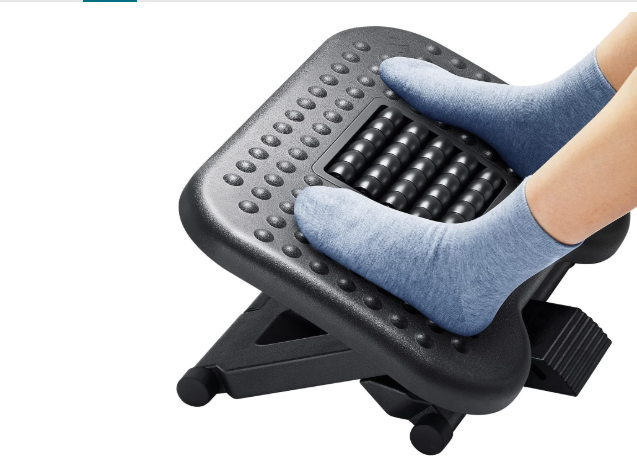
The HUANUO Adjustable Footrest helps support proper sitting posture by keeping feet comfortably elevated when needed. It’s particularly useful for shorter users or anyone whose feet don’t rest flat on the floor while seated. The adjustable height and tilt allow it to adapt to different chairs and desk setups.
Pros
- Adjustable height and angle
- Improves lower-body comfort while sitting
- Simple, practical design
Cons
- Takes up floor space
- Less useful for taller users
You may want to consider other options if: your chair already allows your feet to rest comfortably on the floor.
Ergotron LX (Monitor Arm)
Best Monitor Arm or Riser
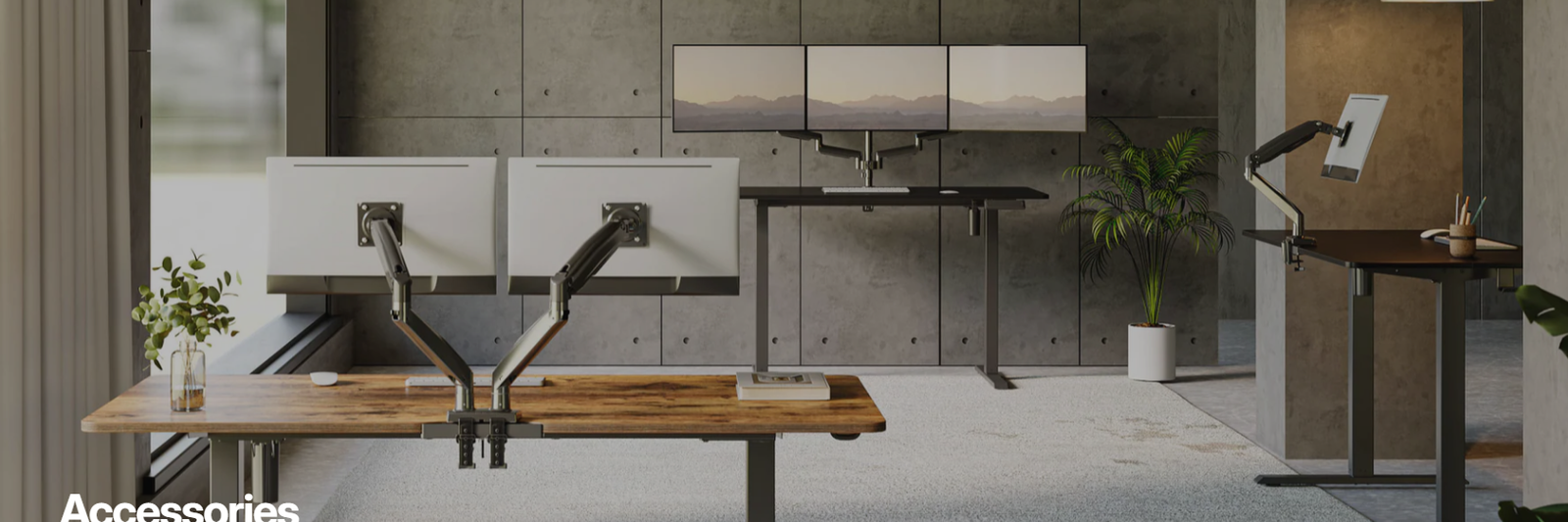
The Ergotron LX is a premium monitor arm known for smooth adjustment and long-term durability. It lets you position your monitor at the right height and distance, which can reduce neck and shoulder strain during long work sessions. It’s a strong fit for home offices where you want a stable, professional setup that stays put once you dial it in.
Pros
- Very stable and smooth movement
- Helps achieve proper monitor height and distance
- Durable build that holds up over time
Cons
- Higher price than most alternatives
- Setup takes a bit of time (mounting and tension adjustment)
Sony WH-1000XM5
Best Noise-Canceling Headphones for Focus
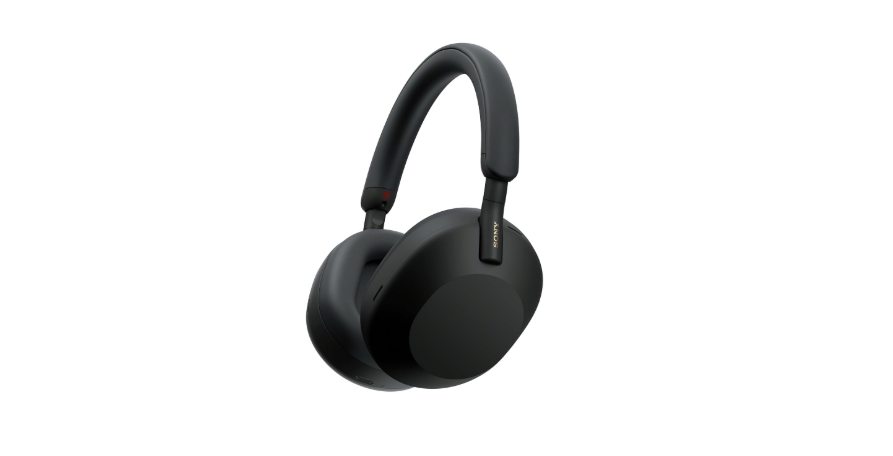
The Sony WH-1000XM5 headphones are designed to reduce background noise and distractions, which can be especially helpful in shared or noisy work environments. Their active noise cancellation helps create a quieter workspace, making it easier to focus during deep work or long meetings. They’re comfortable enough for extended wear and work well for both work and everyday use.
Pros
- Excellent noise cancellation for focus
- Comfortable for long listening sessions
- Clear sound for calls and meetings
Cons
- Higher price than basic headphones
- Noise cancellation may feel isolating for some users
You may want to consider other options if: you prefer lightweight earbuds or need headphones primarily for short listening sessions.
If you’re looking for concrete examples within each category, the following products are widely used and easy to compare.
Popular Brand-Specific Picks
The accessories below are specific products commonly used in the categories above. They’re included as reference points to show how different ergonomic needs can be addressed with real-world options at different price points.
Best Vertical Mouse for Wrist Comfort
Logitech MX Vertical
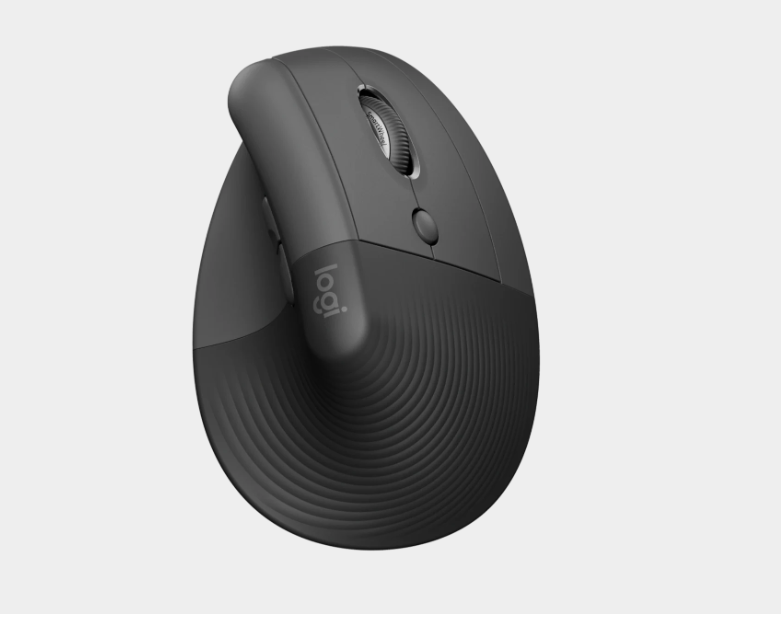
The Logitech MX Vertical is designed to reduce wrist strain by promoting a more natural hand position. Its vertical shape helps keep the forearm in a relaxed posture, which many users find more comfortable during long periods of mouse use. It’s especially useful for people who experience wrist or forearm discomfort with traditional mice.
Pros
- Encourages a more natural wrist position
- Comfortable for long work sessions
- Solid build quality and reliable tracking
Cons
- Higher price than basic mice
- Takes time to adjust if you’re new to vertical mice
Kinesis Freestyle2 Keyboard
Best Split Keyboard for Typing Comfort
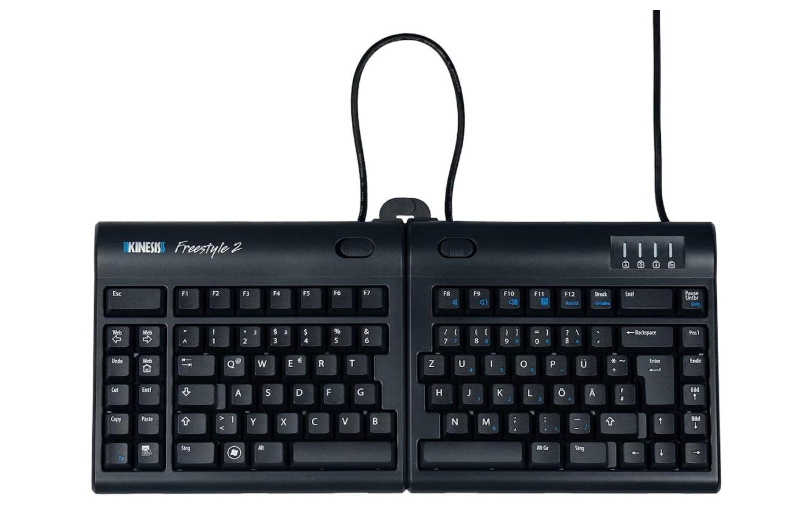
The Kinesis Freestyle2 Keyboard allows users to position each half of the keyboard independently, helping reduce shoulder and wrist strain. This flexibility makes it easier to maintain a neutral typing posture. It’s well-suited for users who type frequently and want more control over their keyboard positioning.
Pros
- Adjustable layout for better ergonomics
- Lightweight and easy to reposition
- Comfortable for extended typing
Cons
- Learning curve for new users
- Not ideal for very compact desks
HUANUO Adjustable Footrest
Best Footrest for Desk Posture
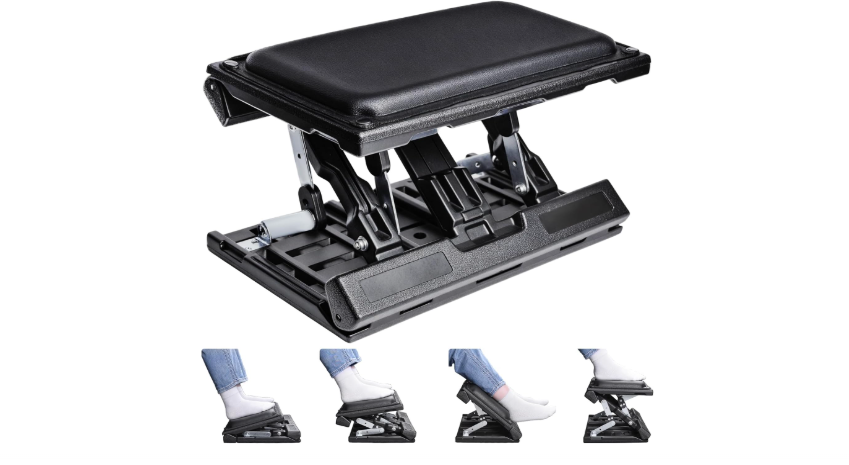
The HUANUO Adjustable Footrest helps improve sitting posture by supporting proper leg and foot positioning. It’s especially helpful for shorter users or anyone whose feet don’t rest comfortably on the floor while seated. The adjustable height and tilt make it easy to customize for everyday use.
Pros
- Adjustable height and angle
- Improves lower-body comfort
- Simple, practical design
Cons
- Takes up floor space
- Limited benefit for taller users
BenQ ScreenBar
Best Desk Lamp for Eye Comfort
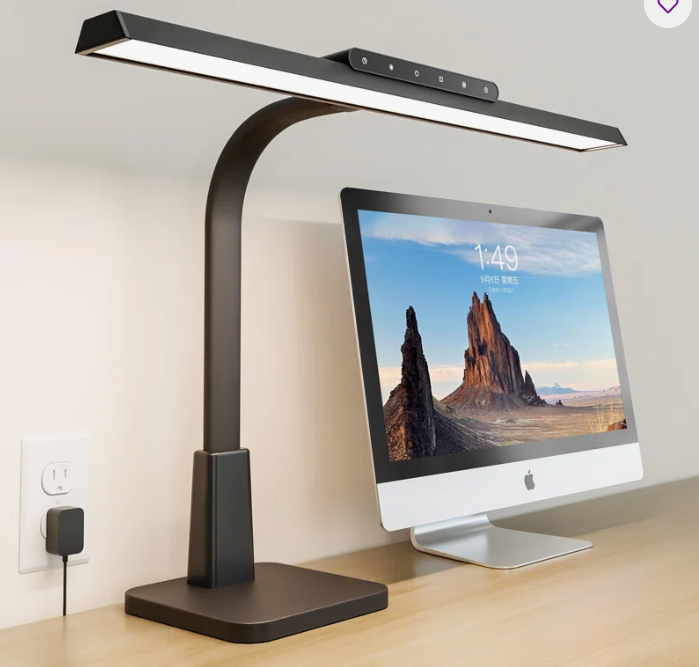
The BenQ ScreenBar is a monitor-mounted desk lamp designed to provide even, glare-free lighting across the workspace. It automatically adjusts brightness based on ambient light, which can help reduce eye strain during long or late work sessions. Its clip-on design also helps save desk space.
Pros
- Reduces screen glare
- Automatic brightness adjustment
- Saves desk space
Cons
- Higher price than basic desk lamps
- Not compatible with all monitor designs
What About Other Ergonomic Accessories?
Ergonomic accessories vary widely in design and effectiveness depending on individual needs and work habits. The items listed here are examples of practical upgrades, but many alternatives may work just as well for different setups. If none of these feel like the right fit, focus on identifying the specific discomfort you want to address and look for accessories designed to support that area.
Choosing the Right Accessories for Your Setup
Not every ergonomic accessory is necessary for every workspace. Start by identifying the areas where you feel the most discomfort, such as wrist strain, neck tension, or leg positioning, and focus on accessories designed to address those issues. Small, targeted changes often have the biggest impact.
Some accessories pair especially well with specific setups, so it can be useful to revisit chair and desk options once you’ve identified what comfort issues you want to address.
If you’re building a complete workspace, see our guide on setting up an ergonomic home office.